
📢|ESX Ajout Peds ou Props
Compatible ESX Legacy dernière version
💬 Déscription du script :
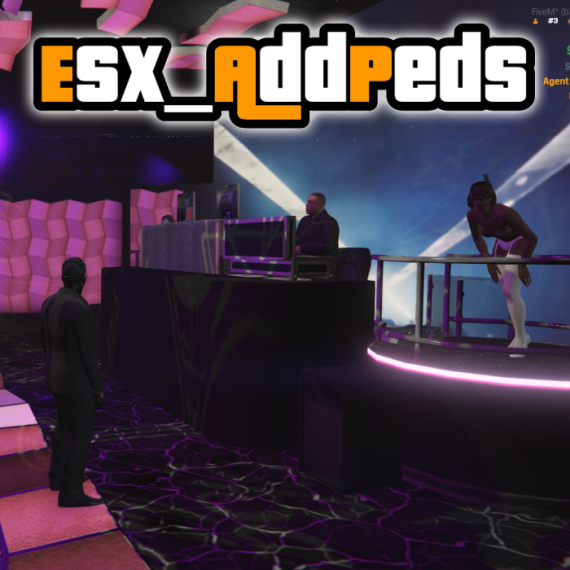
Simple script pour animé vos mappings en ajoutant des peds ou des props facilement avec des scénarios ou des animations.
⭐ Option dans le conf.lua
✅ Ajout de scénario
✅Ajout une animation
✅ Ajout arme
✅ Peds ennemie
✅ Ajout Props avec orientation
⭐ Dépendance Non obligatoire
ESX Legacy
Pour ajouter un nouveau peds, copier une exemple qui se trouve dans le fichier config.lua et coller le a la suite de la liste. Il ne vous reste plus qu'a modifier les infos de votre peds.
exemple config.lua:
{
ActivePedEnemie = false, -- PED ENEMIE
PedsArmer = false, -- ACTIVE PED ARMER
weapon = "WEAPON_ADVANCEDRIFLE", -- ARME DU PED
ActiveScenario = false, -- ACTIVER LES SCENARIOS
scenarioped = 'PROP_HUMAN_SEAT_COMPUTER', -- NOM DU SCENARIO https://wiki.rage.mp/index.php?title=Scenarios
ActiveAnimation = true, -- ACTIVER LES ANIMATIONS
animDictionary ="mini@strip_club@private_dance@part2", -- LISTE DES ANIMATIONS https://alexguirre.github.io/animations-list/
animationName = "priv_dance_p2" , -- LISTE DES ANIMATIONS https://alexguirre.github.io/animations-list/
model = "u_f_y_danceburl_01", -- MODELE DU PEDS https://docs.fivem.net/docs/game-references/ped-models/
x = -1379.8387, -- POSITION X DU PED
y = -617.4218, -- POSITION Y DU PED
z = 30.7579, -- POSITION Z DU PED
h = 125.6621, -- POSITION H DU PED
},
Config.PropsDGserv = {
{
objectnom = 'v_ilev_cin_screen', -- Nom du props https://gtahash.ru/
coordsprops = vector3(-1380.7357, -614.0049, 32.2736), -- Position du props
orientationprops = 305.0658, -- Orientation du props
freezeobject = true, --
},
}▶️ Vidéo du script
ESX Ajout Peds Props
Ce produit est gratuit.
Add to Basket